Steps
- Install the reMarkable desktop app in your Applications folder and sign in once.
- Let it sync, so your newest documents and notes are on the Mac.
- Download Inklatch from inklatch.com/download. It isn't in the Mac App Store. There are versions for Apple silicon and for Intel Macs. The download page says which one your Mac needs.
- Open the .dmg file you downloaded, and drag Inklatch to Applications.
 InklatchApplications
A drawing of the window, not a picture of macOS. - Open Inklatch from Applications. If macOS asks whether you're sure you want to open it, click Open.
- If macOS asks whether Inklatch may use data from other apps, click Allow. Inklatch needs this to read the reMarkable app's library."Your reMarkable library", with your folders on the left and your documents in the middle.
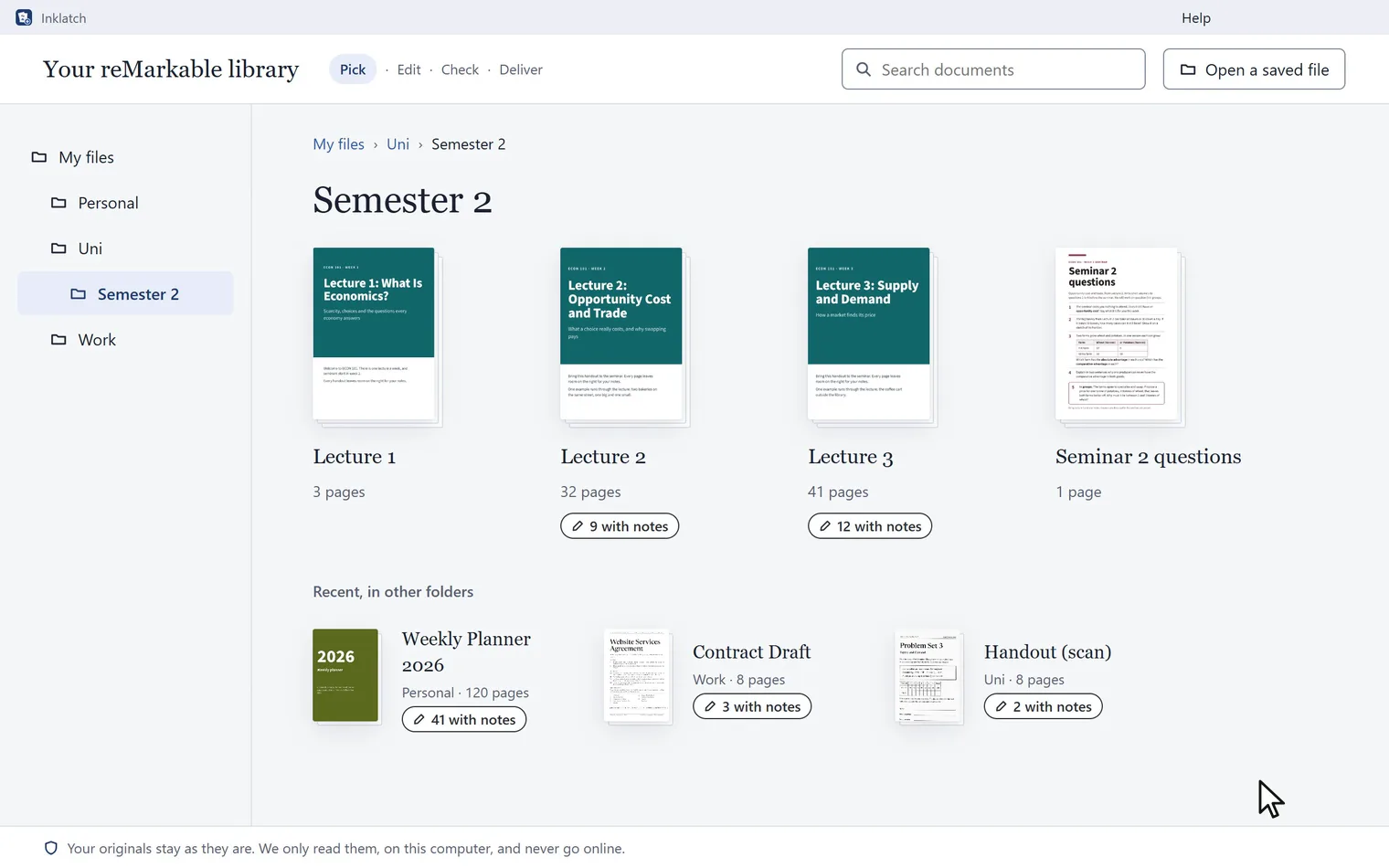 1your folders2your documents
Inklatch is signed and notarized by Apple. So at most, macOS asks whether you're sure you want to open an app from the internet.
Other ways
- Where this guide says Ctrl, press Cmd on a Mac.
- The window's buttons are on the left. There's no Help button in the title bar. The Help menu has Report a problem….
- The Inklatch menu has About Inklatch and Check for Updates…. Updates come from inside the app. See Updates and About.
- Closing the window leaves Inklatch running. Click its icon in the Dock to open a new window.
- For what Inklatch costs, see pricing.
If something else happens
- You refused the question about data from other apps
- Inklatch then can't read the reMarkable app's library. It shows "We can't find the reMarkable app." even though the app is installed.
- "We can't find the reMarkable app."
- "Install it and sign in once, or open a reMarkable file you saved."Inklatch found no reMarkable library on the Mac. This also shows when the desktop app hasn't synced anything yet. Install it, sign in and let it sync. Then quit Inklatch from the Inklatch menu and open it again. Or click Open a file to open a saved reMarkable file. See Find your documents.
- Open reMarkable app does nothing
- Inklatch looks for the desktop app in the Applications folder. If it's somewhere else, start the reMarkable app yourself and let it sync. Then open your document.
Next: Find your documents, to open the document you want to change.