 Inklatch
Start here
New to Inklatch? Read Before you start. Then install it on Windows or a Mac. Each page in the list is one task, with its steps in order.
The four steps
Inklatch shows its steps at the top of the window: Pick, Edit, Check and Deliver.
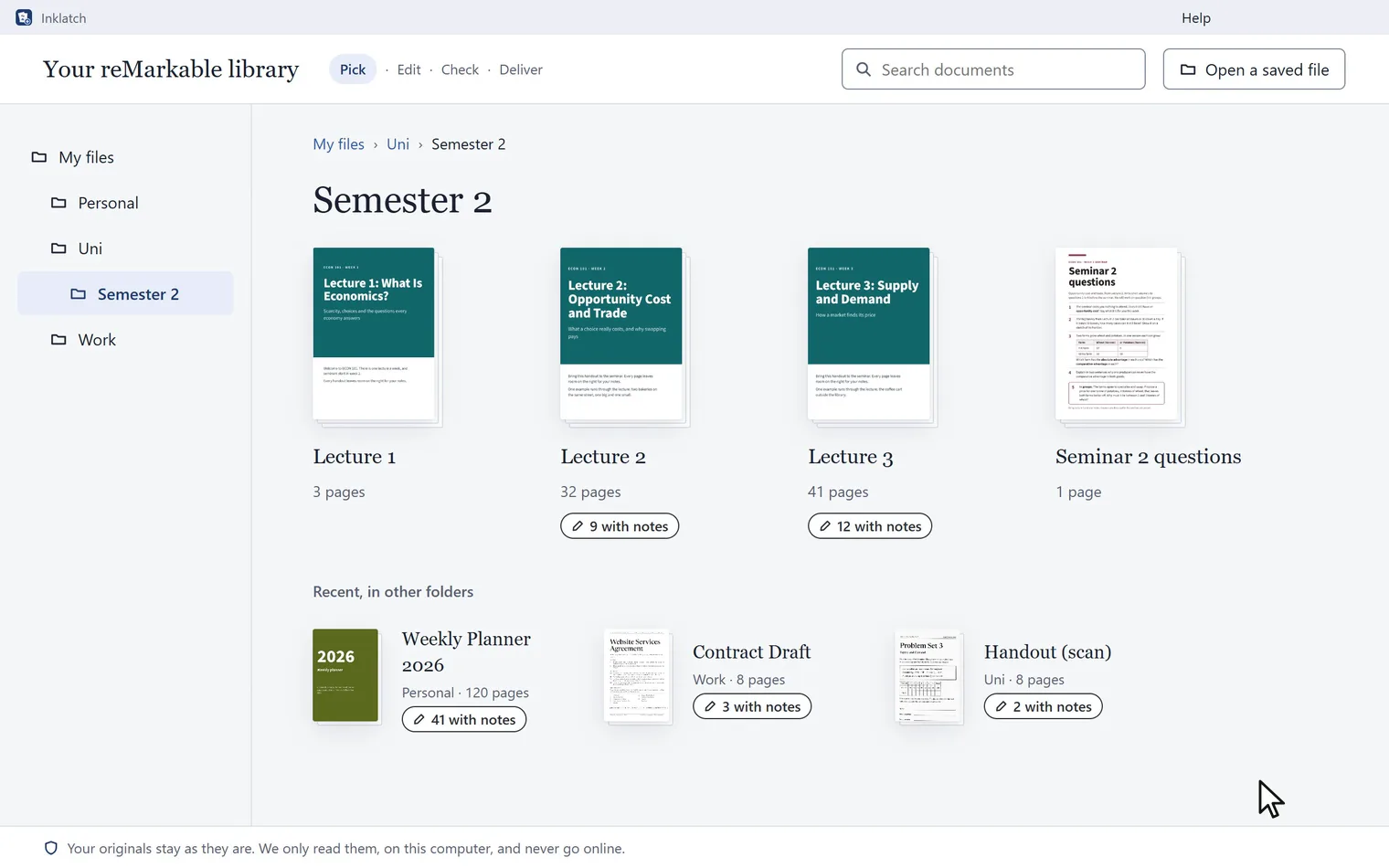 1PickOpen a document from your reMarkable library. See Find your documents.
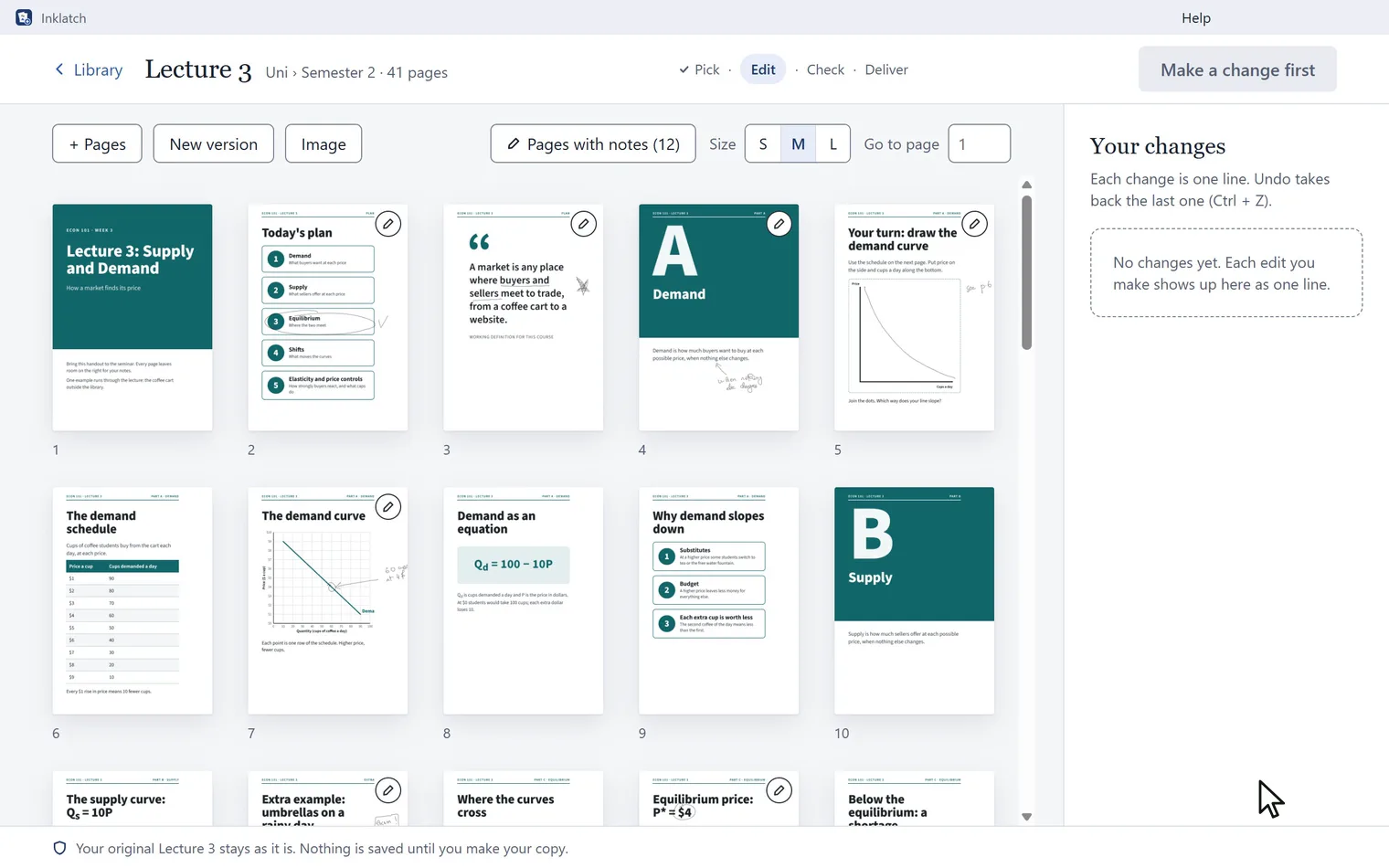 2EditAdd pages, swap in a new version, add an image, move, delete or merge. Each change is one line in Your changes. You can undo it. See See and select pages.
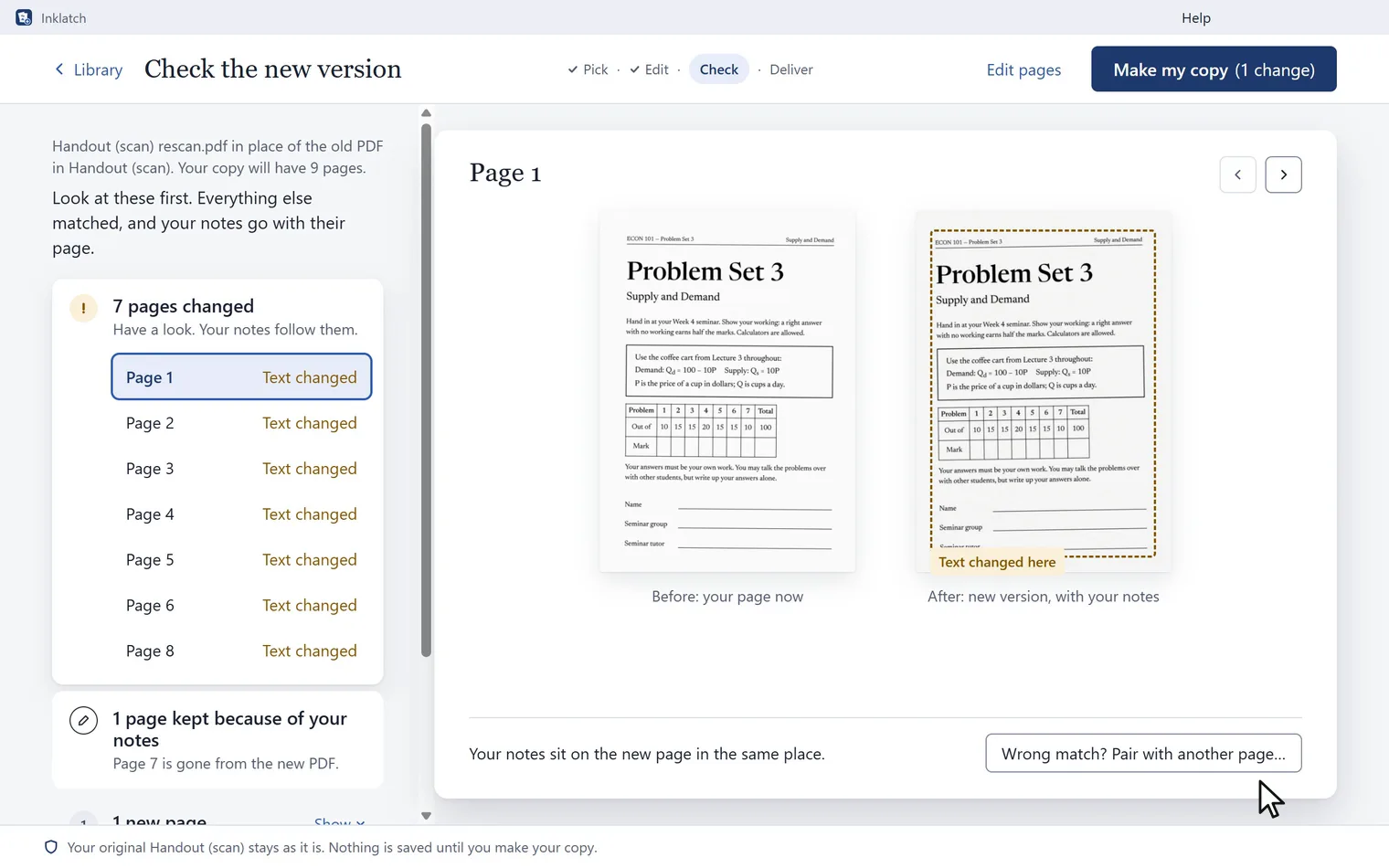 3CheckOnly when you swap in a new version. It shows which pages are the same, changed, new or gone. Other changes go straight from Edit to Deliver. See Swap in a new version.
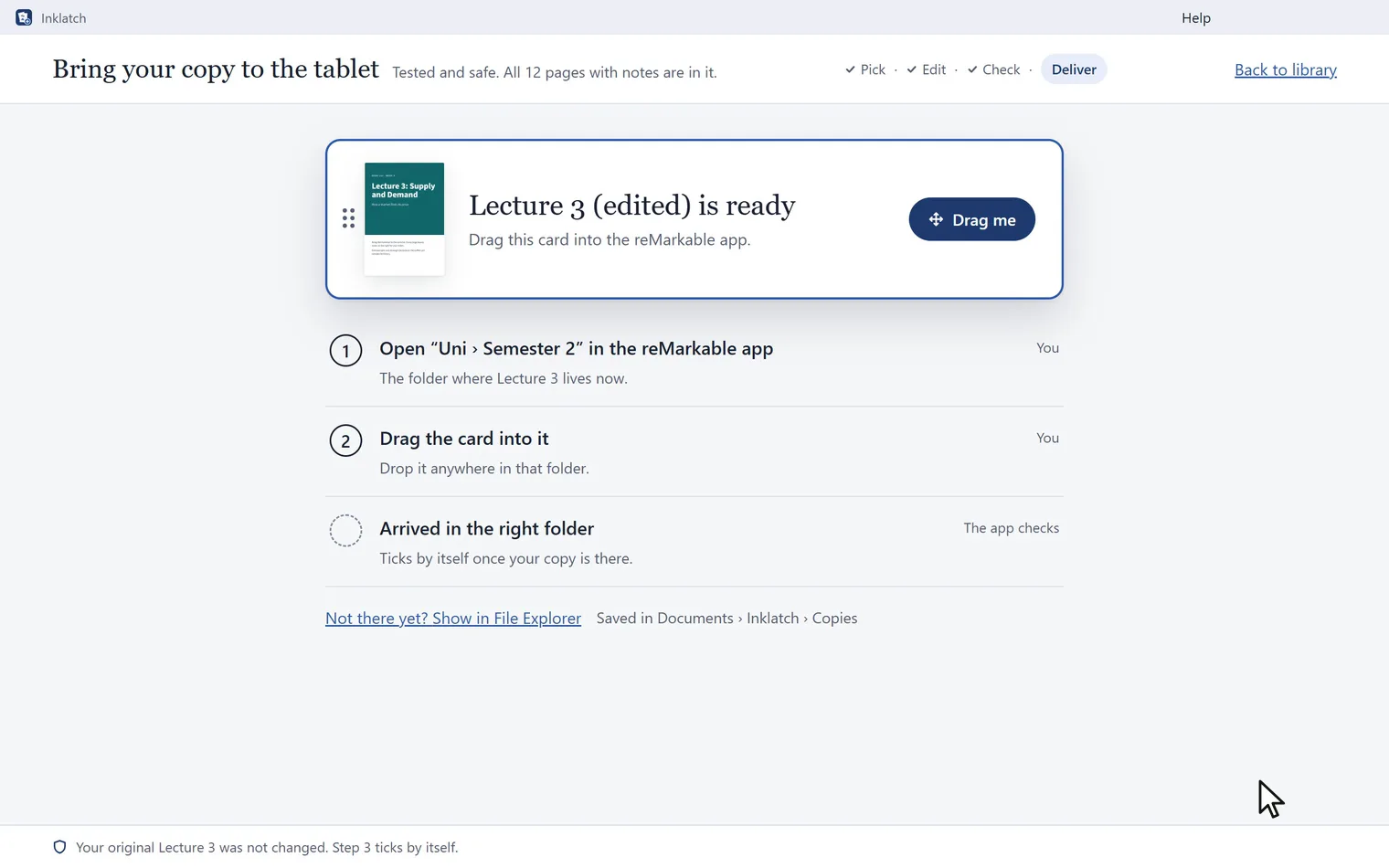 4DeliverClick Make my copy, then drag the new copy into the reMarkable desktop app. See Make my copy and Bring your copy to the tablet.
Stuck?
- A message on screen: find its words on What each message means.
- Something didn't work: Fix a problem, by what you see.
- Working fast: Keyboard shortcuts.
- Still stuck: Report a problem.
Practice files
Try Inklatch on made-up documents first, with nothing to lose. The download has three PDFs with no notes. Lecture 3 has 41 pages, Lecture 3 v2 (the revised lecture) has 40, and Tables has 6. Put Lecture 3 on your tablet and write a few notes. Then follow Add pages from a PDF or Swap in a new version.
Download the practice files (ZIP, 908 KB)